No products in the cart.


Description

Bird 4042E
- Frequency ranges: 30 to 200 MHz, 100 MHz to 1000 MHz
- Monitor antenna failure and radio output simultaneously
- In-line directional RF true average power by channel or composite power by scanning channels
- Ethernet Interface
Ethernet Channel Power Sensor Monitor
The Bird 4042E provides a powerful approach to antenna and power monitoring for smaller radio communications systems and paging networks. Designed for smaller sites where the Bird 3141 channel power monitor would be underutilized, and connecting directly to the Internet or private IP network, they can be accessed remotely for both set-up and monitoring.
Bird’s 4042E Channelized Ethernet Power Sensor Monitors provide reliable remote site monitoring to maximize uptime of mission critical communications. Unlike competitive solutions, 4042E RF Power Sensors can monitor for and alarm in the event of a reduced antenna VSWR. This provides an early warning of increased losses in the transmission line resulting from water ingress, damage, or deterioration.
Installed post-combiner, the 4042E can generate alarms according to pre-configured parameters for forward power and minimum/maximum VSWR, then communicated to users with SNMP traps. 4042E is a channelized power sensor allowing for the individual monitoring up to 16 radios.
Applications
Commercial, industrial, and government land-mobile-radio (LMR) wireless-communications systems including:
- Public Safety
- Marine/Coast Guard
- Private Networks
- Railroad
- Civil Aviation
Ethernet connection
The Ethernet connector is used to connect the 4042E to a PC or a network router/switch. Measurement data is transported over the Ethernet connection so the data can be viewed in a web browser.
- Direct PC Connection – A direct PC connection is a connection between a PC and a single 4042E. This connection can be used to view the sensor’s measurement data, however, if the sensor will be used with a LAN connection, this type of connection must be used to change the IP address of the 4042E
- LAN Connection – The 4042E may be connected to a router or switch so it can provide measurement information through a LAN. A LAN connection can provide the ability to monitor several 4042E sensors from a single PC. Additionally, SNMP management software can be used to aggregate multiple sensors and monitor their outputs.
The image below shows a possible configuration for the 4042E.

Part number configuration
Part numbers for the 4042E are set up with the configuration below.
4042E-1-ffwwxx-yyzz
- ff: Frequency Range
- 41 = 30 to 200 MHz
- 43 = 100 to 1000 MHz
- ww: Forward Power Measurement
- 05 = 500 W
- xx: Communication Interface
- 03 = Ethernet
- yy: Input Connector
- 01 = N (F)
- 02 = N (M)
- 03 = 4.3/10 (F)
- 04 = 4.3/10 (M)
- zz: Output Connector
- 01 = N (F)
- 02 = N (M)
- 03 = 4.3/10 (F)
- 04 = 4.3/10 (M)
None
You must be logged in to post a review.
Related products


Sale

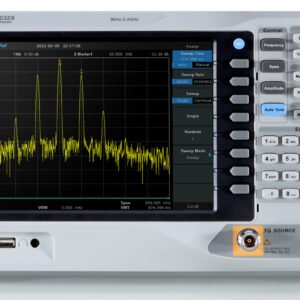
Rigol DSA815/DSG815 Kit Spectrum Analyzer 9kHz to 1.5 GHz and DSG815 1.5 GHz Signal Generator
Original price was: $3,759.80.$3,407.80Current price is: $3,407.80. Add to cart
 Bird 4042E – Ethernet Ch...
 $1,534.50
Our team of knowledgeable professionals is here to help you make informed decisions. Whether you need product recommendations, technical support, or guidance on your purchase, we're just a click away.
Contact Us Now:
📧 sales@nestesinstruments.com
📞 +1 (833) 763-7837
Let us assist you in finding the perfect solution!
Contact Us Now:
📧 sales@nestesinstruments.com
📞 +1 (833) 763-7837
Let us assist you in finding the perfect solution!
Reviews
There are no reviews yet.