
Description
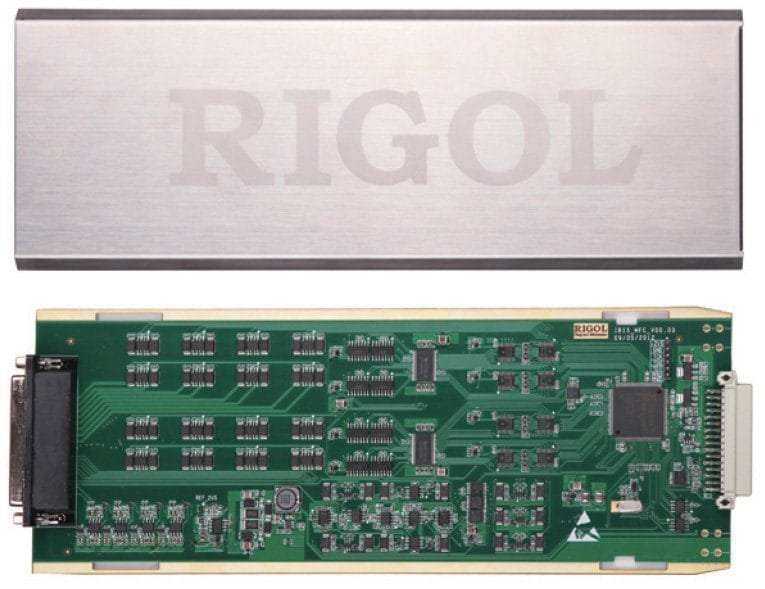
Rigol MC3534 MFC Module Multifunction Module 4x 8-bit DIO´s, 4x TOT totalizer, 4x DA converter.
Multifunction module for use with M300 DAQ System Mainframe. It includes 4 DACs, 4 Totalizers, and 32 DIO bits. The M3TB34 is the mating terminal block for this module.
MC3534 (Multifunction Module):
This module provides 3 kinds of functions with 4 channels for each function. This module can be used to check status or control external devices (such as solenoid, power relays and microwave switches). You can also read digital inputs and the totalizer count during a scan.
- Four 8–bit digital input/output (DIO) ports
- 4 totalizer (TOT) input terminals (the first two channels are 10 MHz TOT and the other two channels are 100 kHz TOT) with 1 Vpp sensitivity
- 4 analog output terminals, ±12 V calibrated voltage
Measurement Connections Using External Terminal Blocks
M300 provides 6 kinds of terminal blocks to easily connect the signal to be measured to the module. The models of the terminal blocks and corresponding modules are listed in the table below. This section introduces how to use the external block.
| Terminal Block | Module | |
| 1 | M3TB32 | MC3132, MC3232 |
| 2 | M3TB64 | MC3164, MC3264 |
| 3 | M3TB24 | MC3324 |
| 4 | M3TB48 | MC3648 |
| 5 | M3TB16 | MC3416 |
| 6 | M3TB34 | MC3534 |
Note: for the MC3724, the signal can be connected to the SMB connectors on the module directly. No terminal block is needed.
WARNING: Cut off all the power supplies before opening the terminal block or removing the terminal block from the module.
1. Place the terminal block with the front (with the RIGOL caption) facing downward and pull the two latches in the arrow direction in the figure below and press them down. Place the terminal block with the front facing upward and pull the upper cover of the terminal block upward and remove it.

2. Connect the cables for connecting the signal under test according to the labels on the circuit board of the terminal block (for the connecting method, refer to Table 1-1). Pass the binding wires through the two groups of holes as pointed out by the arrows in the figure below to fix the cable connected. Pay attention to the channel or terminal connected to the cable to ensure that the signal connected is correct.

3. Connect the terminal block to the module via interface 1 (the interface definition is in Figure 1-7) on the module and screw down the two screw rods onto the nuts on the module.

4. Close the upper cover of the terminal block.

5. Insert the module with the terminal block into the slot of the mainframe.

Product General Attributes | |
|---|---|
| Product Height | 6.00 IN |
| Product Length | 17.00 IN |
| Product Width | 9.00 IN |
| HTS/Schedule B Number | 9030908961 |
| ECCN Number | EAR99 |
| Country of Origin | China |
| Shipping Height | 6.00 IN |
| Shipping Length | 17.00 IN |
| Shipping Width | 9.00 IN |


Reviews
There are no reviews yet.